

If you have a product idea, the first thing you want is momentum. Something you can point at. Something you can show your cofounder, your team, or an investor. Something that makes the idea feel real.
I get it. I am a designer. I enjoy a strong render as much as anyone. But early product development is almost never a straight line. It loops, doubles back, and stays messy for longer than people expect. That mess is not a process failure, it is the process.

AI can absolutely help you move faster through that messy stage, but only if you use it for exploration rather than performance theatre.
The core idea
AI does not replace design judgement. It amplifies it.
The trap is simple: someone generates a polished concept image and everyone assumes the hard work is done. The render looks finished, so the thinking slows down. That is where projects get expensive. The unresolved decisions still exist, they just reappear later when change is slower and more costly.
My approach is straightforward:
- Use AI to find strong directions sooner.
- Apply human judgement, technical logic, and market context to decide what should move forward.
- Turn that direction into something a supplier can actually build.
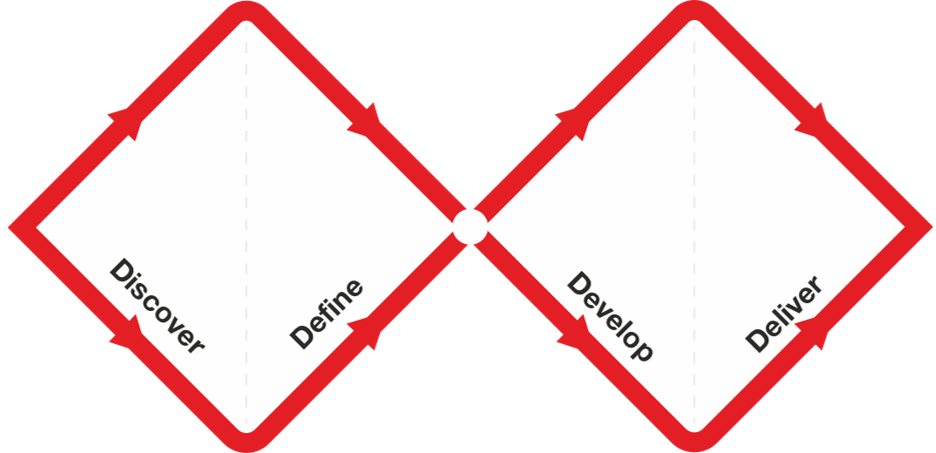
This is the same design rhythm that has always worked: open up to explore, then narrow down to commit.
Why this approach speeds up early product development
Most early-stage teams are not short on ideas. They are short on decision clarity.
AI helps compress the cycle between:
- unclear brief
- first viable direction
- structured feedback
- practical next step
When used properly, AI gives teams more learning per week, not just more images per week.
That is a critical difference.
The tool stack I use and what each tool is for
Tools evolve quickly. Workflow matters more than brand names. This is the stack I currently rely on:
- Chat-based AI (for example ChatGPT)
Used to shape an initial brain dump into a usable brief, risks list, unknowns, and next steps. - Procreate
Used for anchor sketches, quick iterations, and annotated concept communication. - Krea or similar concept-generation tools
Used to rapidly test visual directions from sketch intent. - Miro
Used to curate outputs, compare options, and expose directional patterns. - Photoshop
Used for targeted image clean-up and concept compositing. - Variation tools (for example Weavy)
Used to branch controlled options for colour, trim, component and family-level exploration.
12V battery workflow example: from sketch to direction
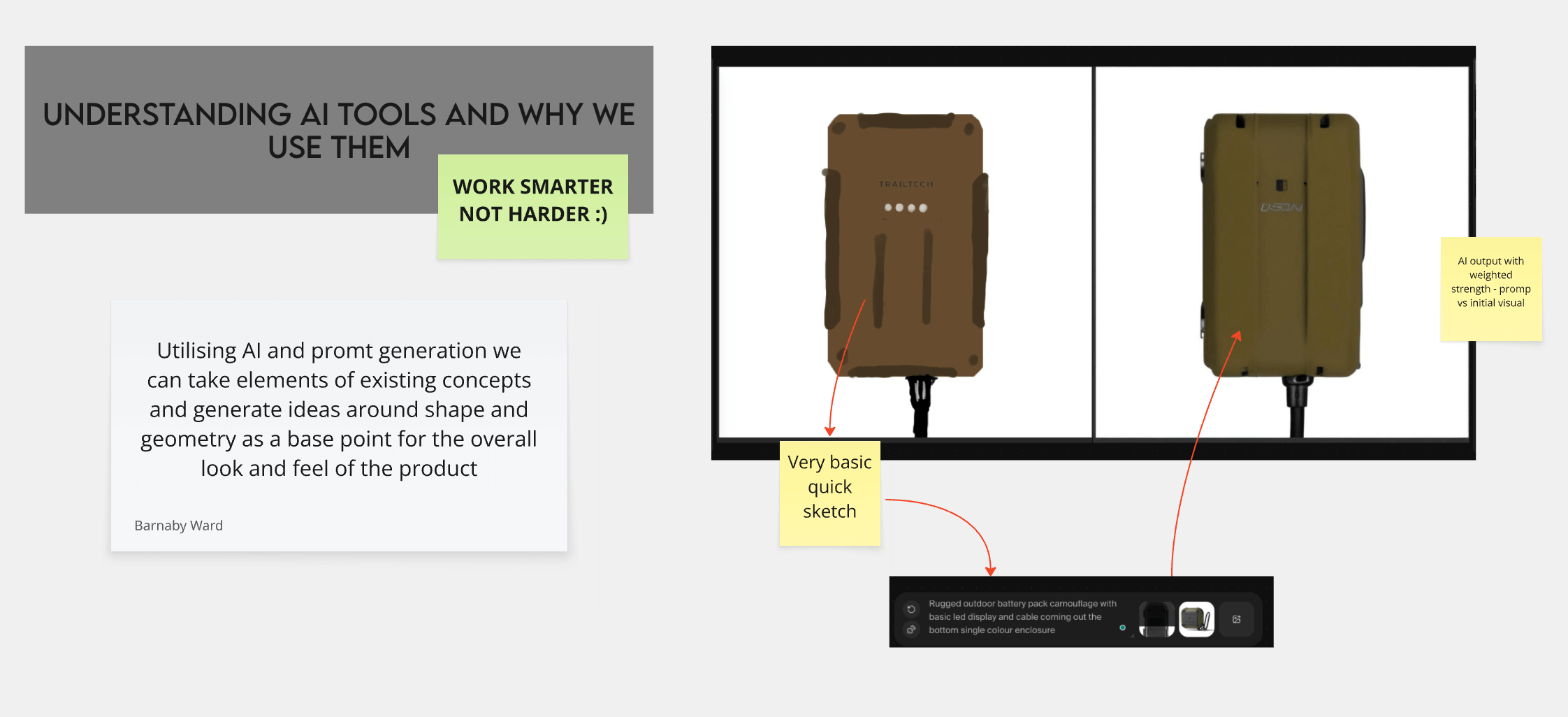
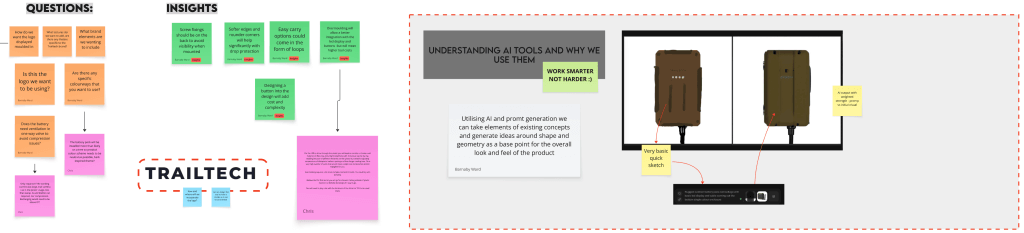
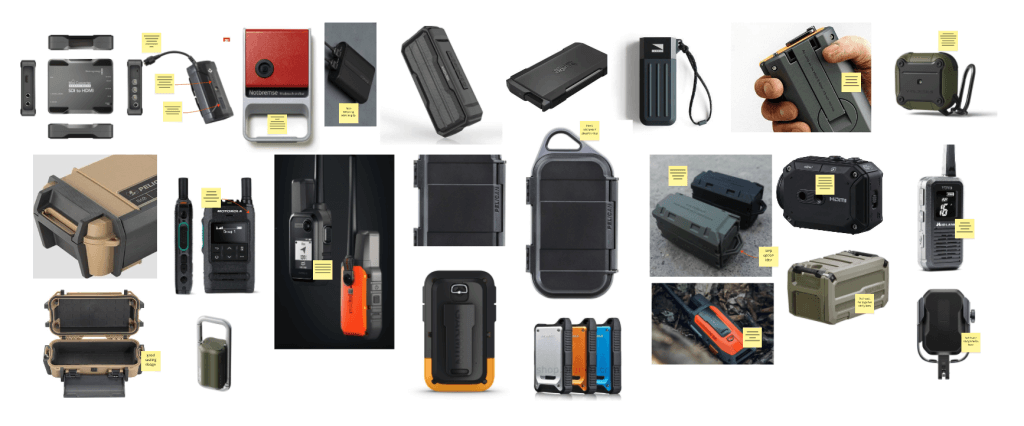
To make this concrete, here is the three-stage AI workflow from the 12V trail camera battery project.
Stage 1: Define questions, constraints, and a rough sketch direction before heavy generation.
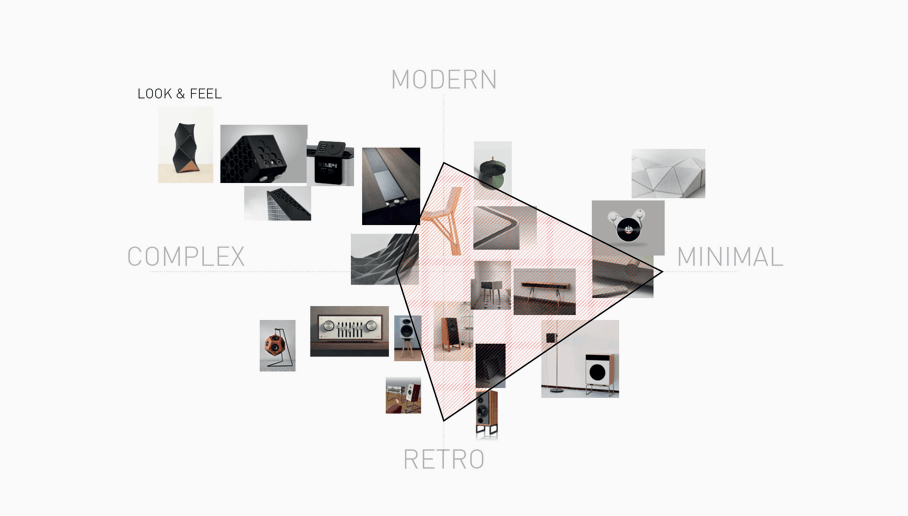
Stage 2: Moodboard references to isolate features worth carrying into concept development.
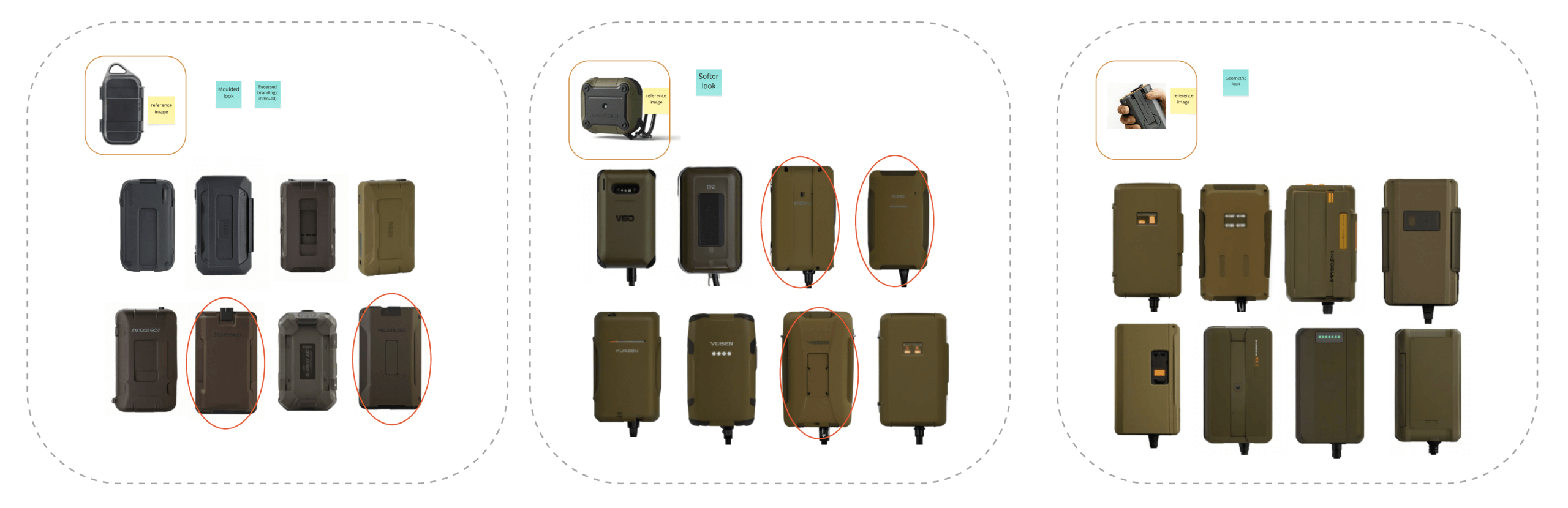
Stage 3: Generate a wide concept set quickly, then curate down to strong architectural directions.
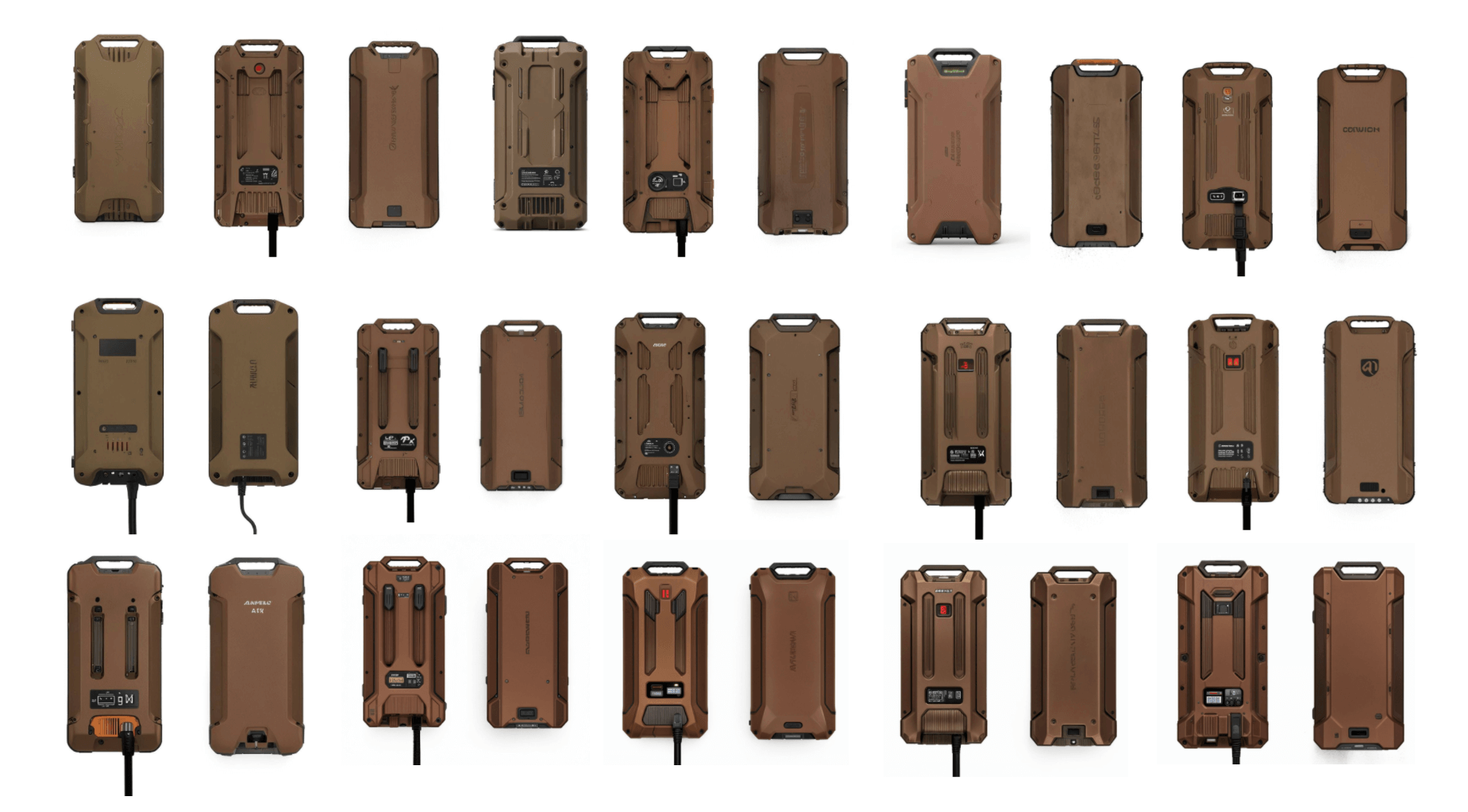
My AI-assisted concept workflow, step by step
1) Start with a brain dump, then force clarity
Most founders start with excitement plus ambiguity. You know what you want to build, but not always how to define it.
So the first pass is clarity:
- Who is this for?
- What problem are we solving?
- What does success look like in use?
- What constraints are real (size, price, durability, compliance, supply)?
- What is explicitly out of scope for version one?
This is where AI is genuinely helpful. It converts a loose conversation into a one-page brief that supports real decisions.
2) Create a rough anchor sketch on purpose
Before generating concepts, I sketch. Not for nostalgia. For discipline.
A rough sketch forces commitment to proportion, architecture, interfaces, and key components. It prevents prompt roulette, where outputs look impressive but share no consistent underlying logic.
3) Use AI for breadth and keep fidelity low
Early concepts should look unfinished. When concepts appear too polished, teams over-index on colour and micro-detail before settling architecture, ergonomics, or use-case fit. Low-fidelity work invites better criticism and stronger decisions.
At this stage, the goal is breadth:
- multiple form directions
- alternate layouts
- different visual languages
- different usage scenarios (carry, mount, open, maintain)
4) Capture everything and build a live board
As options emerge, I move low-res captures into a single board and group by theme.
That quickly reveals patterns:
- which silhouettes keep winning
- which details feel intuitive for users
- which proportions look stable and manufacturable
- which styling cues align with the market position
The board is not decoration. It is evidence.
5) Loop intentionally
The real flow is cyclical:
- clarify
- sketch
- generate
- curate
- resketch
- regenerate
- refine
- repeat
This loop is exactly where AI adds value, because each cycle gets faster while your judgement gets sharper.
6) Refine one direction, then branch controlled variations
After selecting a lead direction, the process shifts from broad exploration to controlled variation.
Now we test:
- component choices
- CMF routes
- family/SKU logic
- production constraints
7) Finish with an annotated concept that drives action
The key output at this stage is not a pretty image. It is a clear concept package with:
- feature intent
- usage logic
- key constraints
- manufacturing notes
- prototype questions for the next sprint
That is what lets teams move into engineering and prototyping with confidence.
The hidden risk: AI can create design fixation
AI is fast, but it can quietly narrow thinking if teams lock onto the first attractive output.
To avoid fixation, I use four rules:
- Sketch first, generate second.
- Start from at least three directional seeds.
- Stay low-fidelity until architecture is right.
- Prompt with constraints, not aesthetics alone.
Experience still matters here. AI can generate options, but it cannot judge buildability, supplier feasibility, or long-term product integrity on its own.
If you are starting from zero, do this today
- Write a one-paragraph problem statement.
- List five non-negotiables (cost, size, durability, compliance, timeline).
- Sketch one ugly but functional layout.
- Generate 20 rough directions.
- Curate the top three and write why.
- Annotate one concept with practical next steps.
Done properly, this will move most teams further than weeks of unstructured concept churn.
Related work and next steps
If you want to see how this translates into real-world outcomes, start here:
If you are weighing how much design support to invest in, I can help scope a lean early-stage package around your risk profile, timeline, and product complexity.
References
- The Design Squiggle (Damien Newman)
- Design Council: Framework for Innovation
- Nielsen Norman Group: Prototype Fidelity
- Generative AI and Design Fixation (arXiv)
 Book a Call
 Instagram.
 linkedin.